





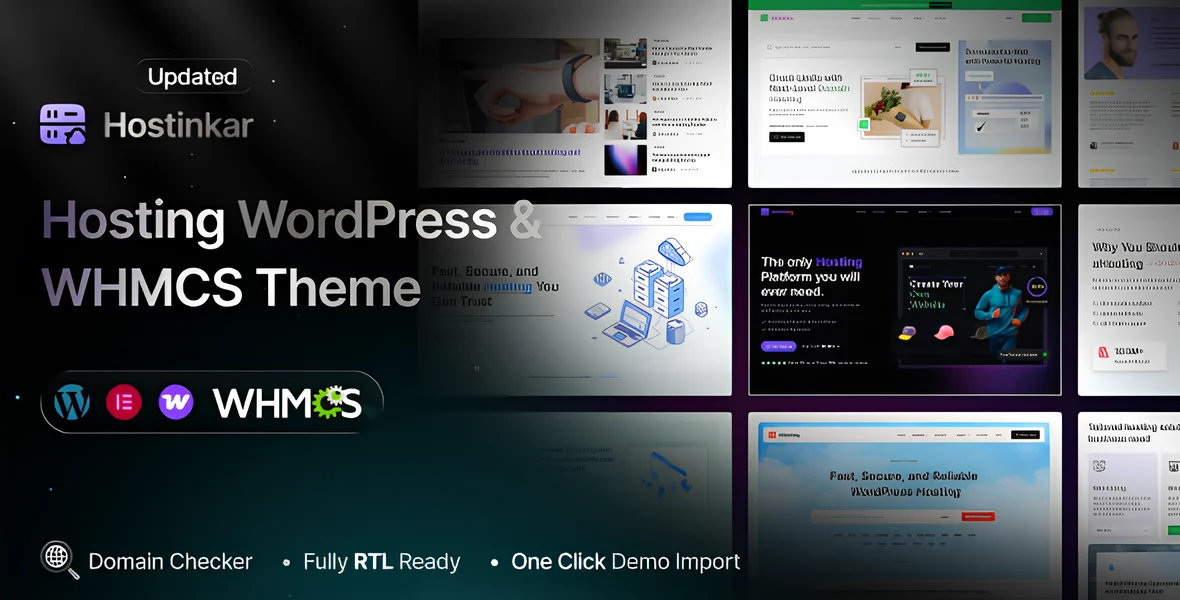
Hostinkar is a highly versatile and professionally designed WordPress theme tailored specifically for web hosting companies, domain registrars, and other online service providers. Crafted with a modern aesthetic and a focus on usability, this theme provides a comprehensive platform for creating a fully functional and attractive website that effectively showcases hosting plans, services, and features. Its sleek, responsive design ensures that your website will look stunning and operate smoothly across all devices, including desktops, tablets, and smartphones, offering visitors an optimal browsing experience. The theme's flexible layout options and customization features allow hosting providers to tailor their website’s appearance to match their branding and service offerings easily.
One of the standout features of Hostinkar is its seamless integration with WHMCS, a popular billing and client management platform used by hosting providers worldwide. This integration enables automation of many essential business processes such as order management, client registration, billing, and support ticket handling. With this powerful combination, hosting companies can efficiently manage their backend operations while providing a user-friendly and professional frontend experience for their customers. The theme also provides multiple pre-built homepage layouts, each designed to highlight different aspects of hosting services, such as pricing plans, server specifications, and additional features like domain registration and SSL certificates. These layouts can be easily customized using drag-and-drop page builders, making it accessible even for users with little to no coding experience.
Furthermore, Hostinkar offers a variety of features aimed at enhancing user engagement and conversion. Elegant pricing tables and service showcase sections allow businesses to present their hosting packages attractively, emphasizing key features and competitive pricing. The theme also includes dedicated sections for testimonials, client login portals, and support options, fostering trust and credibility with visitors. Its SEO-optimized and lightweight code ensures fast loading times and better search engine rankings, which are crucial for driving organic traffic. Overall, Hostinkar empowers hosting providers to establish a professional, reliable, and visually appealing online presence with minimal effort, streamlining both front-end presentation and back-end management to support business growth.
Hostinkar - Hosting WordPress & WHMCS Theme Features
Seamless WordPress & WHMCS Integration
Multiple Pre-designed Homepage Layouts
Responsive & Retina Ready Design
Drag-and-Drop Page Builder Compatibility
Multiple Customizable Hosting Plans & Pricing Tables
Easy Customization with WordPress Customizer
One-Click Demo Import
WooCommerce Compatibility for Additional Services
Client Dashboard & Login Panel
WHMCS Client Area Integration
Service & Product Showcase Sections
Built-in Blog & News Section
Support Ticket System Integration
SEO Optimized for Better Search Rankings
Fast Loading & Lightweight Code
Multiple Header & Footer Styles
Parallax & Video Backgrounds
Unlimited Color Schemes & Typography Options
Multiple Blog Layouts
Contact & Support Section with Contact Forms
Social Media Integration
Pricing Tables with Highlighted Features
Custom Icons & Font Awesome Support
Translation & WPML Multilingual Support
Cross-browser Compatibility
Well-documented Setup & Usage Guides
Regular Theme Updates & Support
Optimized for Speed & Performance
Custom Widgets for Hosting & Client Management
Easy Integration of Payment Gateways
Client Testimonials & Reviews Section
Coming Soon & Maintenance Mode Pages
Advanced Theme Options Panel
Built-in Newsletter Subscription Forms
Security & Backup Ready
GDPR Compliance & Cookie Consent Support
AJAX Search & Filtering Options
Lazy Load for Images & Content
Custom Widgets for Testimonials, FAQs, and More
Video Tutorials & Documentation Included
Compatibility with Popular Plugins (e.g., Contact Form 7, WPML)
Multiple Header & Menu Styles
Blog Post Formats (Standard, Gallery, Video, Quote)
Sticky Header & Back-to-Top Button
Customizable 404 & Coming Soon Pages
User-Friendly Admin Panel for Easy Management
Well-structured Code for Developer Customizations
Child Theme Support for Safe Customizations
Contact Form & Mailchimp Integration
Detailed Demo Content & Layouts for Quick Setup
Create an account or sign in to leave a review
There are no reviews to display.