



MODULES
Explore Powerful WHMCS Modules For Hosting Automation, Billing, Client Management, Security, And Server Management. Extend WHMCS With Reliable Modules Designed For Hosting Providers And Resellers.
7 files
-
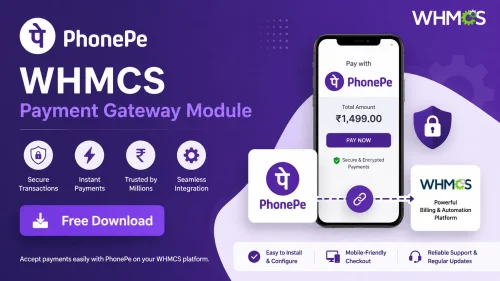
The PhonePe Payment Gateway for WHMCS provides a robust and secure solution for online merchants to accept digital payments effortlessly through PhonePe, one of India’s leading digital payment platforms. Designed to seamlessly integrate with the WHMCS billing and automation system, this payment gateway empowers businesses to offer their customers a fast, reliable, and secure way to complete transactions using PhonePe’s extensive payment options, including UPI, debit and credit cards, and digital wallets.
This integration simplifies the checkout process by enabling customers to make instant payments directly from their PhonePe accounts, thereby reducing cart abandonment and enhancing user satisfaction. The gateway supports real-time payment processing, automatic invoice reconciliation, and detailed transaction reporting, ensuring smooth financial operations for merchants.
PhonePe Payment Gateway for WHMCS is an essential solution for online merchants seeking to expand their payment options within India’s rapidly growing digital economy. By integrating PhonePe’s trusted payment platform directly into your WHMCS billing system, this gateway allows your customers to make secure and instant transactions using their preferred digital payment methods, including UPI, debit and credit cards, and Wallets.
WHMCS PhonePe Payment Gateway Features
Secure Payment Processing
Supports UPI Payments
Accepts Credit and Debit Cards
Digital Wallet Integration (PhonePe Wallet)
Seamless WHMCS Integration
Easy Setup and Configuration
Customizable Checkout Interface
Multiple Payment Method Support
Real-Time Transaction Status Updates
Automatic Invoice Settlement
Instant Payment Confirmation
Detailed Transaction Reporting
Automatic Refund Processing
Secure Data Encryption
Fraud Detection and Prevention
Multi-Language Support
Responsive Design for Mobile Devices
Zero Setup Fees
Multi-Currency Support (Optional)
Reconciliation Reports for Accounting
Payment Validation & Verification
Webhook Notifications for Payment Events
Automatic Payment Retry in Case of Failures
Compatibility with Major Browsers
Customer-Friendly Payment Interface
Admin Dashboard for Payment Monitoring
24/7 Support and Updates
Compliance with Indian Payment Regulations
Support for Partial Payments
Multiple Language Support for Global Reach
- 2 Downloads
Submitted -
The Cashfree Payment Gateway for WHMCS provides a Reliable, Secure, and efficient Solution for businesses looking to accept online payments seamlessly within their WHMCS platform. As one of India's leading digital payment solutions, Cashfree empowers merchants to accept a wide variety of payment methods, including credit and debit cards, net banking, UPI, wallets, and more, catering specifically to the Indian market. This integration simplifies the checkout process, offering customers a smooth and convenient payment experience, which in turn helps boost conversions and customer satisfaction.
With the Cashfree Payment Gateway for WHMCS, your business benefits from automated payment processing and real-time transaction updates. The module seamlessly connects your WHMCS system with Cashfree’s secure API, enabling instant authorization, settlement, and invoice status updates. It supports multi-currency transactions, enabling you to cater to international customers while maintaining compliance with local payment regulations.
Security is a core feature of this gateway, utilizing industry-standard encryption, tokenization, and compliance measures such as PCI DSS to ensure that customer payment data remains protected. The gateway also offers multiple payment options, including UPI, wallet payments, and EMI options, providing flexibility to your customers and reducing cart abandonment rates.
The module includes an intuitive admin interface for configuring API credentials, enabling sandbox testing, and customizing payment preferences. It offers detailed transaction reports and logs within WHMCS, allowing easy monitoring and reconciliation of payments. Additionally, the Cashfree plugin supports recurring payments and subscriptions, making it suitable for businesses with subscription-based models.
Designed with ease of use in mind, the Cashfree Payment Gateway for WHMCS can be quickly installed and configured, even by users with minimal technical expertise. Its responsiveness ensures that customers have a smooth checkout experience on desktops and mobile devices alike. By integrating Cashfree, your business can tap into India’s rapidly growing digital economy, providing a trusted, efficient, and secure payment method that enhances overall customer experience and operational efficiency.
Features of Cashfree Payment Gateway for WHMCS
Seamless WHMCS Integration : Effortless installation and configuration within WHMCS for quick setup and operation.
Supports Multiple Payment Methods : Accepts credit/debit cards, net banking, UPI, wallets, EMI, and other popular Indian payment options.
Real-Time Payment Processing : Instant transaction authorization, settlement, and invoice status updates for smooth order management.
Multi-Currency Support : Accept payments in INR and other supported currencies to cater to international customers.
Secure Payment Transactions : Industry-standard encryption, tokenization, and PCI DSS compliance ensure customer data protection.
Automatic Invoice Settlement & Updates : Automatically updates invoice status in WHMCS upon successful payment, reducing manual efforts.
Flexible Payment Options : Customize accepted payment methods based on your business needs and customer preferences.
Responsive & User-Friendly Checkout : Optimized for desktops and mobile devices, providing a seamless checkout experience.
Recurring Payments & Subscription Support : Facilitate subscription billing, recurring payments, and plan management effortlessly.
Multi-Language Support : Compatible with multiple regional languages for a better customer experience across India.
Automatic Refund Processing : Initiate and manage refunds directly from the WHMCS admin panel, streamlining customer support.
Webhook & Callback Integration : Supports real-time notifications for payment status changes, ensuring data accuracy.
Sandbox Mode for Testing : Safe environment for testing transactions before going live, minimizing errors.
Customizable Payment Gateway Settings : Easily configure API keys, environment modes, and payment preferences from the admin panel.
Detailed Transaction Reports & Logs : Access comprehensive transaction history within WHMCS for reconciliation and reporting.
Multi-Platform Compatibility : Compatible with various WHMCS versions and hosting environments for broad usability.
Subscription & Plan Management : Support for multiple subscription plans, billing cycles, and plan upgrades/downgrades.
Multiple Payment Gateway Configuration : Ability to integrate and manage multiple payment gateways for redundancy and flexibility.
Automatic Error Handling & Notifications : Alerts and logs for failed transactions or errors to facilitate quick troubleshooting.
Compliance with Indian Payment Regulations : Meets local legal, security, and regulatory standards to ensure smooth operation.
Fast & Reliable Transaction Processing : Optimized for minimal latency with high uptime and performance.
Custom Payment Pages & Branding : Personalize checkout pages to match your branding and user experience standards.
Customer Data Security & Privacy : Adheres to data protection laws, ensuring customer trust and compliance.
Easy Plugin Management & Updates : Simple installation, updates, and maintenance within your WHMCS dashboard.
Excellent Support & Documentation : Comprehensive user guides, FAQs, and dedicated support to assist setup and troubleshooting.
Fraud Detection & Prevention : Built-in security features to identify and prevent fraudulent transactions.
Multi-Device Compatibility : Ensures smooth operation across desktops, tablets, and smartphones.
- 2 Downloads
Submitted -
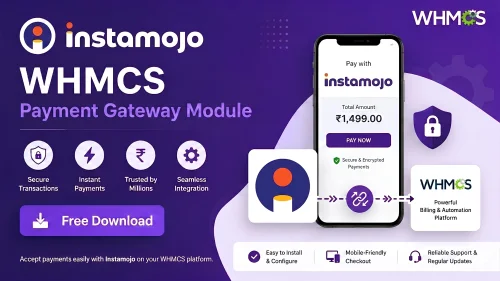
The Instamojo Payment Gateway for WHMCS offers a robust and secure solution for businesses to accept online payments directly through their WHMCS platform, catering specifically to the Indian market. As one of India’s leading digital payment providers, Instamojo empowers merchants to accept a wide range of payment methods, including credit and debit cards, net banking, UPI, wallets, and more, providing a comprehensive payment experience for customers. This integration simplifies the checkout process, enabling your clients to make quick, hassle-free payments without leaving your website, thereby increasing conversion rates and customer satisfaction.
With this module, your business benefits from seamless integration that automates payment processing and status updates. When a customer makes a payment, the module automatically updates the invoice status in WHMCS, ensuring real-time tracking and reducing manual intervention. It also supports multiple currencies and customizable payment options, making it adaptable to various business needs. The Instamojo gateway is built with security in mind, employing industry-standard encryption and compliance measures to protect sensitive payment data, giving your customers peace of mind when making transactions on your platform.
Furthermore, the Instamojo Payment Gateway for WHMCS enhances your operational efficiency through detailed transaction reports and management tools within the admin panel. You can easily monitor payment statuses, view transaction history, and generate comprehensive reports for accounting and reconciliation. Its user-friendly setup and configuration process mean that even non-technical users can quickly activate and start accepting payments. By integrating Instamojo, your business can tap into the rapidly growing e-commerce market in India, offering a trusted, reliable, and convenient payment method that aligns with local customer preferences and regulatory standards.
Features of Instamojo Payment Gateway for WHMCS
Seamless Integration with WHMCS : Easily install and configure within your WHMCS environment to start accepting payments quickly.
Supports Multiple Payment Methods : Accepts a wide range of Indian payment options including credit/debit cards, net banking, UPI, wallets, and more.
Real-Time Payment Processing : Instant payment authorization and confirmation, ensuring timely invoice updates and transaction records.
Automatic Invoice Settlement : Automatically updates invoice status in WHMCS upon successful payment, reducing manual reconciliation efforts.
Multiple Currency Support : Accept payments in various currencies, aligned with Indian Rupees (INR) and other supported currencies.
Secure Payment Transactions : Industry-standard encryption and security protocols to protect sensitive customer data and prevent fraud.
Customizable Payment Options : Configure preferred payment methods, display options, and checkout flow to match your business needs.
Responsive and User-Friendly Checkout : Optimized for desktop and mobile devices, providing a smooth user experience for your customers.
Multi-Language Support : Compatible with multiple languages to cater to diverse customer bases across India.
Detailed Transaction Reports : Access comprehensive transaction logs within your WHMCS admin panel for easy tracking and reconciliation.
Automatic Refunds & Refund Management : Initiate and manage refunds directly from the WHMCS admin interface, streamlining customer service.
Webhook & Callback Support : Real-time notifications for payment status changes to ensure data accuracy and timely updates.
Configurable Payment Gateway Settings : Customize gateway parameters such as API keys, sandbox mode, and payment options from the admin panel.
Supports Subscription & Recurring Payments : Handle recurring billing and subscription-based payments efficiently.
Multi-Platform Compatibility : Compatible with various WHMCS versions and hosting environments to ensure broad usability.
Detailed Documentation & Support : Comprehensive user guide and dedicated support to assist with setup, troubleshooting, and customization.
Compliance with Indian Payment Regulations : Meets local legal and security standards, ensuring compliance with Indian financial regulations.
Low Latency & High Reliability : Optimized for fast transaction processing with minimal downtime or delays.
Multilingual Customer Support : Support for regional languages to enhance customer trust and ease of use.
Easy Plugin Management & Updates : Simple installation, updates, and maintenance within your WHMCS admin interface.
- 0 Downloads
Submitted -
The WHMCS WhatsApp Notification Module is a comprehensive solution designed to enhance your customer communication by seamlessly integrating WhatsApp messaging into your WHMCS platform. This powerful module enables your business to send automated, real-time notifications to clients for a wide range of events, including new orders, invoice updates, payment confirmations, support ticket statuses, and renewal reminders. By leveraging WhatsApp’s ubiquitous and highly engaging messaging platform, you can ensure your clients stay informed and engaged through a channel they use daily.
With this module, you can create customizable message templates that include dynamic placeholders for client-specific data, allowing for personalized and relevant communication. It supports bulk messaging for marketing campaigns or important announcements, and provides detailed delivery and read receipts to monitor the effectiveness of your notifications. The integration is built on the secure and reliable WhatsApp Business API, ensuring your messages are delivered safely and efficiently. Additionally, the module offers easy management through an intuitive dashboard, making it simple to configure, schedule, and track your notifications without requiring technical expertise.
Designed with customer privacy and compliance in mind, the WHMCS WhatsApp Notification Module also includes opt-in and opt-out features, allowing clients to control their communication preferences. Supporting multiple languages and multiple WhatsApp numbers, this module is ideal for international businesses seeking to modernize their communication channels. By adopting this innovative messaging solution, your business can improve customer engagement, reduce support response times, and foster stronger relationships through instant, direct communication via WhatsApp.
Features of WHMCS WhatsApp Notification Module
Seamless Integration with WHMCS : Fully compatible with your existing WHMCS platform, allowing smooth setup and operation without disrupting your current workflows.
Automated Event-Based Notifications : Send instant WhatsApp alerts triggered by various events such as new orders, invoice creation, payment received, ticket updates, service renewal reminders, and more.
Customizable Message Templates : Create, edit, and manage personalized message templates with dynamic placeholders for client details, invoice numbers, dates, and other relevant data.
Bulk Messaging Support : Send large-scale notifications or promotional messages to multiple clients simultaneously, saving time and effort.
Two-Way Communication Capability : Enable clients to reply to WhatsApp messages, facilitating direct and efficient communication.
Client Opt-In and Opt-Out Management : Allow clients to choose whether they wish to receive WhatsApp notifications, ensuring compliance with privacy regulations.
Multi-Language Support : Support for multiple languages to cater to a global customer base, with the ability to create language-specific templates.
Secure Messaging via WhatsApp Business API : Utilizes the official WhatsApp Business API for secure, reliable, and scalable message delivery.
Delivery and Read Receipts : Track message delivery status, read receipts, and response rates directly within your WHMCS admin panel to monitor communication effectiveness.
Real-Time Delivery Reports : Access detailed delivery logs to troubleshoot issues and optimize your notification strategy.
User-Friendly Setup Wizard : Step-by-step configuration process guides you through connecting your WhatsApp Business account and configuring message settings.
Easy Management Dashboard : Manage all templates, recipients, and notification settings from an intuitive admin interface.
Scheduled Notifications : Schedule messages to be sent at specific times for reminders, follow-ups, or marketing campaigns.
Rich Media Support : Send images, documents, and other media files via WhatsApp for enhanced communication.
Personalization and Dynamic Content : Customize messages with client-specific data to increase engagement and relevance.
Multiple Phone Number Support : Configure and manage multiple WhatsApp Business numbers for different services or regions.
Compliance and Privacy Controls : Ensure your messaging practices comply with privacy laws and WhatsApp policies, including opt-in management.
Detailed Logs and Audit Trail : Maintain a comprehensive record of all notifications sent, received, and responded to for accountability and analysis.
Cost-Effective Communication : Reduce reliance on emails and support tickets by engaging clients through instant messaging, leading to faster responses and higher satisfaction.
Multi-Platform Compatibility : Compatible with various WHMCS versions and hosting environments.
- 5 Downloads
Submitted -
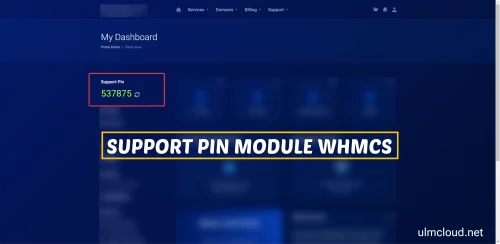
Support PIN for WHMCS is a security feature used to verify the identity of a client or user when requesting support or assistance from the hosting provider or support team. It acts as a unique, temporary code that helps prevent unauthorized access or support requests, ensuring that only the legitimate account owner can receive assistance.
Long Description:The Support PIN in WHMCS is a security measure designed to enhance the protection of client accounts during support interactions. When a client contacts support, they may be required to provide their Support PIN to verify their identity. This PIN is typically a unique, randomly generated code that is assigned to the client account within the WHMCS system. The Support PIN can be used for various support-related activities, including password resets, billing inquiries, or technical assistance, providing an additional layer of security beyond just login credentials.
Support PINs are especially useful in situations where verifying identity through email or other methods may not be sufficient. By requiring the PIN, support staff can confirm that the requester is the legitimate account owner, reducing the risk of fraudulent requests or account breaches. Clients can usually view or regenerate their Support PIN within their client area in WHMCS, ensuring they have control over their security credentials.
In summary, the Support PIN for WHMCS is a crucial security feature that helps protect client accounts during support interactions, ensuring that support services are provided securely and only to verified account holders.
Features of Support PIN for WHMCS
Enhanced Customer Verification : Adds an extra layer of security by verifying client identity during support requests, reducing unauthorized access risks.
Automatic Unique PIN Generation : Systematically generates a secure, random Support PIN for each client, ensuring uniqueness and unpredictability.
Client Self-Management Portal : Clients can easily view, regenerate, or update their Support PIN directly from their client area, maintaining control over their security credentials.
Support Interaction Security : Allows support staff to verify client identity quickly and securely by requesting the Support PIN during support sessions, including tickets or live chat.
Configurable PIN Settings : Administrators can customize PIN length, format, and validity period, tailoring security measures to organizational policies.
PIN Expiration and Validity Control : Supports setting expiration times for PINs, ensuring they are only valid for a specific period to enhance security.
Scheduled PIN Regeneration : Enables automatic regeneration of Support PINs at regular intervals or after specific actions to maintain ongoing security.
Multi-Language Support : Fully compatible with multiple languages, making it accessible to a global client base.
Email Notifications : Automatically sends email alerts to clients when their Support PIN is generated, regenerated, or updated, keeping them informed.
Audit and Activity Logging : Keeps detailed logs of all Support PIN activities, including generation, viewing, and verification attempts for security audits.
Seamless Support Ticket Integration : Integrates with WHMCS support ticket system, requiring PIN verification before sensitive support actions are performed.
Support for Multiple Support Channels : Works across various support channels such as tickets, live chat, and phone support for consistent security verification.
User-Friendly Interface : Provides an intuitive and easy-to-use interface for clients to manage their Support PINs without technical difficulties.
Security Best Practices : Designed following industry security standards, ensuring PINs are stored securely and transmitted safely.
Custom Messaging and Branding : Allows customization of instructions, notifications, and support messages related to Support PIN usage to align with branding.
Policy Enforcement : Administrators can enforce policies requiring PIN verification for specific actions or account types.
API Access for Developers : Offers API endpoints for custom integration with third-party systems or advanced workflows.
Multiple PIN Management Options : Supports options for single-use PINs, multiple PINs, or persistent PINs based on support process needs.
Compatibility with Support Modules : Fully compatible with WHMCS modules such as billing, automation, and support ticket systems.
Enhanced Security Compliance : Helps organizations meet security standards and best practices for customer data protection.
- 1 Downloads
Submitted -
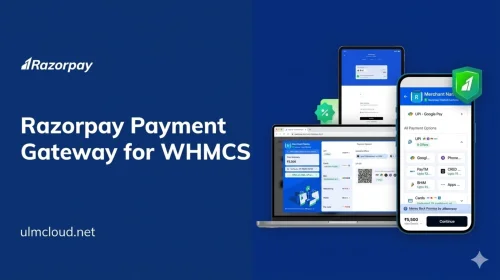
Razorpay Payment Gateway for WHMCS is a Secure and Powerful integration Module that enables your WHMCS Billing Platform to accept online payments through Razorpay, one of India’s leading digital payment solutions. This powerful gateway seamlessly connects your business with Razorpay’s extensive payment ecosystem, providing your customers with a smooth, fast, and reliable checkout experience.
With Razorpay Payment Gateway for WHMCS, you can accept payments via a wide variety of methods, including credit and debit cards, net banking, UPI (Unified Payments Interface), wallets, and EMI options, catering to the diverse preferences of your Indian customer base. This flexibility ensures higher conversion rates and a more satisfied clientele.
The module simplifies the entire payment process by automating invoice payments, verifying transactions instantly, and updating order statuses in real-time. Its user-friendly setup allows merchants to quickly configure the gateway, customize payment options, and tailor the checkout experience to match their branding.
Security is a top priority with Razorpay, and this integration ensures all transactions are encrypted and compliant with industry standards, safeguarding sensitive customer data and preventing fraud. It also supports seamless refunds and cancellation processes, making post-transaction management hassle-free.
Designed to work flawlessly with WHMCS, the Razorpay Payment Gateway module offers detailed transaction reporting, reconciliation features, and multi-currency support, enabling efficient financial management and accounting. Whether you run a hosting provider, SaaS service, or any online business targeting the Indian market, this gateway enhances your payment infrastructure with reliable, secure, and scalable solutions.
In addition, the module is regularly updated to stay compatible with the latest Razorpay features and security protocols, and dedicated support is available to assist with installation and troubleshooting.
In summary, Razorpay Payment Gateway for WHMCS empowers your business to accept a diverse range of Indian digital payments effortlessly, securely, and efficiently—helping you expand your reach and improve the overall customer payment experience.
Features of Razorpay Payment Gateway for WHMCS
Seamless Integration with WHMCS : Effortlessly connect Razorpay’s payment solutions with your WHMCS billing platform for smooth transaction processing.
Support for Multiple Payment Methods : Accept a wide range of Indian payment options including credit cards, debit cards, net banking, UPI (Unified Payments Interface), wallets, and EMI options, providing flexibility to your customers.
Real-Time Payment Verification : Instant confirmation of payments with real-time status updates, enabling immediate order fulfillment and customer notification.
Multi-Currency Support : Handle transactions in multiple currencies, cSeamless Integration with WHMCS : Effortlessly connect Razorpay’s payment solutions with your WHMCS billing platform for smooth transaction processing.atering to international customers and expanding your global reach.
Secure and Encrypted Transactions : Robust security protocols ensure all customer data and payment information are encrypted, compliant with industry standards, and protected against fraud.
Easy Setup and Configuration : User-friendly installation process with straightforward configuration options, allowing quick deployment without technical complexities.
Customizable Payment Options : Enable or disable specific payment methods, set default payment options, and customize checkout pages to match your branding.
Automatic Invoice Payment Processing : Automate invoice payments directly through Razorpay, reducing manual intervention and streamlining billing workflows.
Refund and Cancellation Support : Simplify post-transaction management with built-in features for processing refunds and cancellations directly from the WHMCS admin panel.
Detailed Transaction Reports : Access comprehensive logs, reports, and transaction histories for reconciliation, auditing, and financial tracking.
Multiple Gateway Settings : Configure multiple Razorpay accounts if needed, with options for different currencies, payment methods, or regional setups.
Instant Refunds & Partial Refunds : Facilitate quick refunds, including partial refunds, directly within the WHMCS interface.
Recurring Payments & Subscription Support : Manage subscription-based billing with Recurring Payments & Subscription Support: Manage subscription-based billing with Razorpay’s recurring payment capabilities.Razorpay’s recurring payment capabilities.
Webhook Notifications : Receive automatic webhook notifications for payment events, ensuring your system stays updated with the latest transaction statuses.
Multi-Language & Localization : Support for multiple languages and regional settings to enhance user experience for diverse customer bases.
Robust API Support : Leverage Razorpay’s API for custom integrations, advanced features, and tailored payment workflows.
Compliance with PCI DSS Standards : Meets all necessary security standards to ensure safe handling of payment data.
Regular Updates & Support : Continuous updates to ensure compatibility with the latest Razorpay features and security enhancements, along with dedicated support for installation and troubleshooting.
Scalable for Growing Businesses : Designed to handle high transaction volumes efficiently, suitable for small startups and large enterprises alike.
Easy Reconciliation & Accounting : Export transaction data in formats compatible with popular accounting software for seamless financial management.
- 4 Downloads
Submitted -
Binance Pay for WHMCS is an innovative payment integration solution designed to enable businesses using the WHMCS billing platform to accept cryptocurrency payments effortlessly. Powered by Binance Pay, one of the most secure and user-friendly crypto payment gateways, this integration allows merchants to offer their customers a seamless, fast, and borderless way to pay using a wide range of cryptocurrencies.
This system simplifies the acceptance of digital currencies such as Bitcoin, Ethereum, Binance Coin, and many others supported by Binance, directly within the WHMCS environment. It automates payment processing, verification, and reconciliation, reducing manual workload and minimizing errors. With Binance Pay for WHMCS, businesses can expand their payment options, reach a global audience, and stay ahead in the evolving digital economy by providing a modern, secure, and flexible payment solution.
Designed for ease of use, security, and efficiency, Binance Pay for WHMCS empowers merchants to accept crypto payments safely while enhancing customer experience through quick transactions and instant payment confirmation. Whether you run a hosting service, e-commerce store, or online platform, this integration helps you capitalize on the growing popularity of cryptocurrencies, opening new revenue streams and increasing customer satisfaction.
Features of Binance Pay for WHMCS
Seamless Cryptocurrency Payments Integration : Easily accept a wide range of cryptocurrencies through Binance Pay directly within your WHMCS billing platform, providing your customers with flexible payment options.
Support for Multiple Cryptocurrencies : Accept popular digital currencies including Bitcoin (BTC), Ethereum (ETH), Binance Coin (BNB), and many others supported by Binance Pay, catering to a global customer base.
Automatic Payment Processing : Automate the entire payment workflow from invoice generation to confirmation, reducing manual intervention and minimizing errors.
Real-Time Payment Verification : Instant verification of payments received via Binance Pay, ensuring quick invoice settlement and improved cash flow management.
Multi-Currency Support : Handle transactions in various cryptocurrencies, enabling your customers to pay with their preferred digital assets.
Secure Transactions : Leveraging Binance Pay’s robust security protocols to ensure safe and encrypted payment transactions for both merchants and customers.
User-Friendly Interface : Simple and intuitive setup within WHMCS, making it easy for administrators to configure and manage crypto payments.
Instant Payment Confirmation : Receive immediate alerts and updates on payment status, facilitating faster order processing and customer onboarding.
Multi-Platform Compatibility : Fully compatible with all WHMCS versions, ensuring smooth operation across different hosting and service environments.
Comprehensive Reporting & Reconciliation : Detailed transaction logs and reports for easy reconciliation, accounting, and audit purposes.
Customizable Payment Options : Flexibility to enable or disable specific cryptocurrencies and tailor payment options according to your business needs.
Secure API Integration : Utilizes Binance Pay’s secure API for reliable and trustworthy payment processing.
Customer Convenience : Enable customers to pay with their preferred cryptocurrencies quickly and securely, enhancing user experience and satisfaction.
Global Reach : Facilitate international transactions without the limitations of traditional banking, opening your business to a worldwide audience.
Regular Updates & Support : Continuous updates to ensure compatibility with Binance Pay’s latest features and dedicated support to assist with integration and troubleshooting.
- 4 Downloads
Submitted