





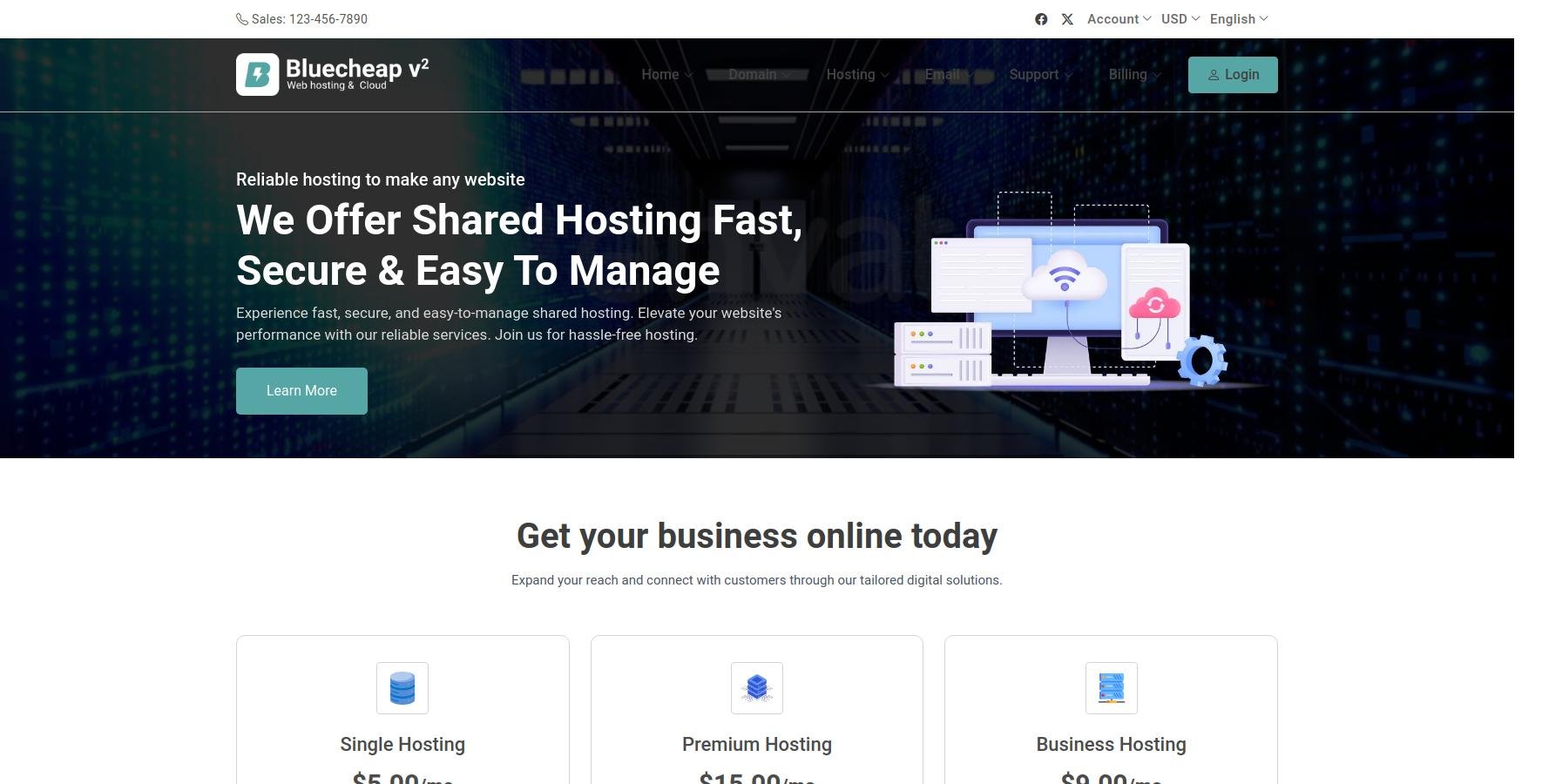
The Bluecheap Host v2 WHMCS Theme is a Professionally Designed, Customizable Template specifically created for WHMCS, a popular billing and automation platform used by web hosting providers. This theme is tailored to enhance the visual appeal and user experience of hosting service websites, providing a modern, clean, and responsive interface that is easy to navigate for visitors and clients alike.
Bluecheap Host v2 features a sleek and user-friendly layout that showcases hosting plans, services, and features prominently to attract and convert potential customers. It often includes integrated sections for domain registration, VPS hosting, shared hosting, dedicated servers, and other related products, with clear call-to-action buttons that facilitate quick sign-ups and inquiries. The theme is typically designed to be fully responsive, ensuring optimal display across desktops, tablets, and smartphones, which is essential in today’s multi-device world.
Customization options are an important aspect of Bluecheap Host v2, allowing hosting providers to tailor the appearance to match their brand identity. This may include customizable color schemes, logo placement, layout adjustments, and integration with various WHMCS modules and add-ons. Additionally, the theme often comes with built-in support for popular page builders, sliders, and other visual elements to create a dynamic and engaging website without extensive coding knowledge.
Overall, the Bluecheap Host v2 WHMCS Theme aims to streamline the customer onboarding process by offering an attractive, professional, and easy-to-use interface. It helps hosting providers establish a strong online presence, improve user trust, and boost sales by providing a seamless experience from browsing hosting plans to completing transactions. If you are a web hosting business looking to improve your website’s appearance and functionality, Bluecheap Host v2 is a popular choice among WHMCS users for its modern design and flexibility.
Bluecheap Host v2 WHMCS Theme Features
Modern, Professional Design
Responsive & Mobile-Friendly Layout
Customizable Color Schemes
Easy Logo Placement
Multiple Homepage Layouts
Built-in Slider for Promotions & Highlights
Pre-designed Hosting Plan Sections
Support for Domain Registration & Transfer
Clear Call-to-Action Buttons
Client Login & Signup Pages
Integrated Pricing Tables
Feature-Rich Hosting Plans Display
Testimonials & Client Feedback Sections
FAQ Accordion Sections
Contact & Support Sections
Newsletter Subscription Integration
Multiple Language Support
Cross-Browser Compatibility
Optimized for Fast Loading Speed
SEO-Friendly Structure
Easy Customization via Admin Panel
Support for WHMCS Modules & Add-ons
Built-in Social Media Icons & Links
Client Area Customization Options
Detailed Documentation & User Guide
Support for Coupons & Promotions
Integration with Payment Gateways
Built-in Blog/News Section (optional)
Live Chat or Contact Form Integration
Compatibility with Page Builders (e.g., Elementor, Visual Composer)
Clean, W3C Validated Code
Easy Installation & Setup
Regular Theme Updates & Support
Compatibility with WHMCS Latest Version
Analytics & Tracking Integration
Customer Testimonials & Trust Badges
Pricing & Discount Highlight Sections
Multiple Header & Footer Styles
Custom Widgets for Additional Features
User-Friendly Navigation Menu
Create an account or sign in to leave a review
There are no reviews to display.