




ulmcloud
Administrators
-
Joined
-
Last visited
Files posted by ulmcloud
-
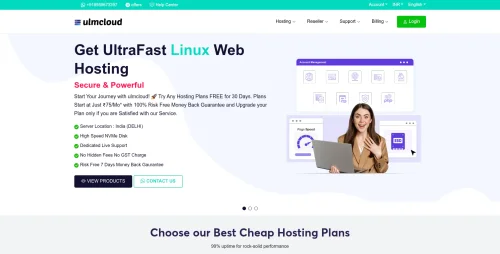
DigitalHost is a Modern and Professional web hosting template specially designed for hosting companies, domain providers, VPS providers, dedicated server companies, cloud hosting businesses, and other technology-based services.
This template is built for DataLife Engine (DLE) and comes with WHMCS integration, making it a complete solution for building a professional hosting website with billing and client management support.
Modern Hosting Website Design
DigitalHost features a clean, responsive, and user-friendly design that helps you present your hosting plans, services, pricing, features, and company information in a professional way.
Shared Hosting
Reseller Hosting
WordPress Hosting
VPS Hosting
Cloud Hosting
Dedicated Servers
Domain Registration
Domain Transfer
SSL Certificates
Hosting Add-ons
DataLife Engine Powered
The main website is designed for DataLife Engine, allowing you to easily manage pages, articles, news, announcements, and other website content.
WHMCS Integration
DigitalHost includes WHMCS-compatible design to provide a consistent experience between your main website and WHMCS client area.
Customer Management
Hosting Orders
Domain Orders
Invoice Management
Billing & Payments
Support Tickets
Service Management
Client Area
Order Management
Responsive Design
The template is fully responsive and designed to work smoothly on desktop computers, laptops, tablets, and mobile devices.
Digitalhost DLE Theme Features
Modern Hosting Website Design
DataLife Engine Template
WHMCS Integration
Responsive Layout
Mobile Friendly Design
Hosting Pricing Tables
Domain Service Pages
VPS Hosting Sections
Dedicated Server Sections
Clean Navigation
User-Friendly Interface
Professional Typography
Service and Feature Sections
Call-to-Action Sections
Easy Content Management
Easy to Customize
Web Hosting Companies
Hosting Startups
Domain Registrars
Reseller Hosting Providers
VPS Providers
Dedicated Server Providers
Cloud Hosting Companies
Server Management Companies
IT Service Providers
Web Agencies
Easy to Customize
DigitalHost provides a flexible structure that allows you to customize website content, hosting plans, pricing, service details, company information, and other sections according to your business requirements.
Digitalhost DataLife Engine + WHMCS
Use DataLife Engine to manage your main website content while WHMCS handles customer accounts, orders, invoices, domains, hosting services, billing, and support.
Build Your Hosting Brand with DigitalHost
DigitalHost is a complete solution for hosting businesses looking for a modern, professional, and easy-to-manage website.
Whether you offer shared hosting, reseller hosting, VPS, dedicated servers, cloud hosting, or domain services, DigitalHost gives you a strong foundation to showcase your services professionally.
Digitalhost DEMO & Download Link -
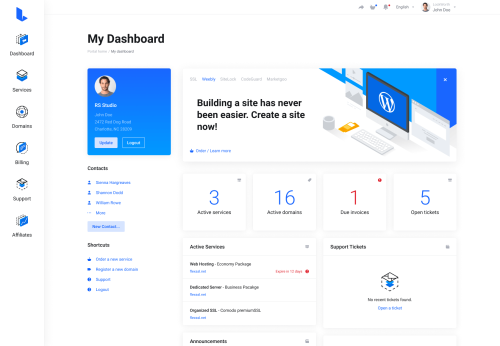
Lagom WHMCS Client Theme is a modern, clean, and user-friendly design template created specifically for WHMCS, a popular client management and billing platform for web hosting companies. The theme aims to enhance the user experience by providing a sleek and professional interface for clients to manage their accounts, view invoices, submit support tickets, and access other services seamlessly.
Lagom WHMCS Client Theme is a premium theme for WHMCS, the client management, billing, and automation platform widely used by web hosting companies. The theme replaces WHMCS's default client-area interface with a more modern, responsive, and customizable design.
Lagom WHMCS Theme features
According to its documentation and marketplace listing, Lagom includes:
Multiple layouts and page templates
Responsive design for desktop, tablet, and mobile
Style and color customization
Menu management tools
Homepage and landing-page customization
Dark mode support
SEO management options
Integration support for various WHMCS modules
Custom fonts and navigation styles
Client dashboards
Hosting and domain management pages
Order forms and checkout flows
Support ticket areas
Billing and invoice pages
Customizable layouts and color schemes
Intuitive navigation menus
Improved user interface elements
Faster load times and optimized performance
-
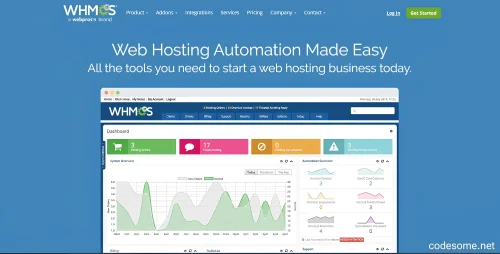
WHMCS (Web Hosting Management and Billing Platform) is a powerful and comprehensive software solution designed to streamline and automate the operations of web hosting providers, domain registrars, and other online service companies. It integrates essential business functions into a single, easy-to-use platform, enabling providers to deliver reliable services while reducing manual workload and increasing efficiency.
WHMCS is an all-in-one management system that combines billing, customer management, support, and automation tools tailored specifically for the web hosting industry. Its primary goal is to simplify complex operational processes, allowing service providers to focus on growth and customer satisfaction.
Features of WHMCS - Web Hosting Billing & Automation Platform
Automated Billing and Invoicing
Recurring billing and subscription management
Automated invoice generation and email notifications
Overdue payment reminders and late fee management
Tax calculation and multi-currency invoicing
Flexible billing cycles (monthly, quarterly, yearly, custom)
Customer Management
Secure client portal with login and account access
Customer registration, account creation, and management
Self-service account updates and profile management
Customer activity tracking and history
Service Provisioning & Automation
Automated provisioning of hosting accounts, domains, SSL certificates, email accounts, and more
Support for various control panels like cPanel, Plesk, DirectAdmin, etc.
One-click product/services setup
Automated suspensions and reactivations based on billing status
Domain Management
Domain registration, transfers, and renewals
Support for multiple domain registrars
Domain WHOIS management
Domain renewal reminders and automatic renewal options
Support Ticket System
Integrated customer support ticketing system
Ticket assignment, escalation, and internal notes
Email notifications for ticket updates
Knowledgebase and FAQ integrations
Payment Gateway Integrations
Support for multiple payment gateways (PayPal, Stripe, Authorize.Net, 2Checkout, and more)
Multiple currency support
Secure payment processing
Payment gateway customization options
Product & Service Management
Customizable product and service offerings
Flexible product configurations and pricing options
Bundled products and add-ons
Promotions and discount codes
Automation & Workflow Customization
Custom hooks and API for tailored automation
Scheduled tasks and cron job integrations
Automated email templates for various customer communications
Extensibility & Customization
Extensive API for third-party integrations
Modules and plugins marketplace
Customizable templates and themes
Developer-friendly hooks and events
Security & Compliance
Data encryption and secure login protocols
Role-based access controls
GDPR compliance tools
Regular updates and security patches
Multi-language & Multi-currency Support
Localization for multiple languages
Multi-currency invoicing and payments
Language packs and translation support
Reporting & Analytics
Sales and revenue reports
Customer activity and product performance reports
Financial summaries and tax reports
Custom report generation
Marketing & Customer Engagement
Coupon codes and discounts
Affiliate management system
Email marketing integrations
Automated follow-up emails
Reseller & Affiliate Management
Reseller account management
Affiliate tracking and commissions
Customizable affiliate programs
Reseller & Partner Features
Multiple reseller support
Custom reseller plans and discounts
Mobile Compatibility
Responsive client and admin interfaces
Mobile-friendly design for on-the-go management
Hosting & Server Management
Server monitoring integrations
Automated server provisioning and management
Support for multiple hosting platforms
Backup & Data Management
Automated backups
Data export and import tools
Localization & Language Packs
Support for various languages
Custom translations
Support & Community
Extensive documentation and tutorials
Active community forums
Professional support options